Best VPN for Travel: A Short List and the Settings to Change Before You Fly
A three-item shortlist instead of a ranking, then the five settings that matter on hotel and airport Wi-Fi: kill switch, protocol, always-on, DNS and ad blocking, plus what a VPN does not protect you from.

Some links in this article lead to partner services. If you make a purchase there, the site may receive a commission; this does not affect the price or our assessment.
Most "best VPN for travel" articles are a ranking of fifteen services with affiliate links and a scorecard. That is not how I would choose one for a trip. A travel VPN has three jobs: behave predictably on untrusted Wi-Fi, keep working when a network is hostile to VPNs, and not drain your battery or your patience. Here is a short list that clears those bars, followed by the settings to change at home, because the airport is the wrong place to discover a toggle.
First, what a VPN does and does not do for a traveller
Be honest about the threat. The US Federal Trade Commission's current guidance says that because encryption is now widespread, connecting through public Wi-Fi is usually safe, and it tells you to look for the lock symbol or https in the address bar. Most of your apps already encrypt their traffic. So the VPN is not protecting your bank login from the person at the next gate; HTTPS does that.
What a VPN adds on the road:
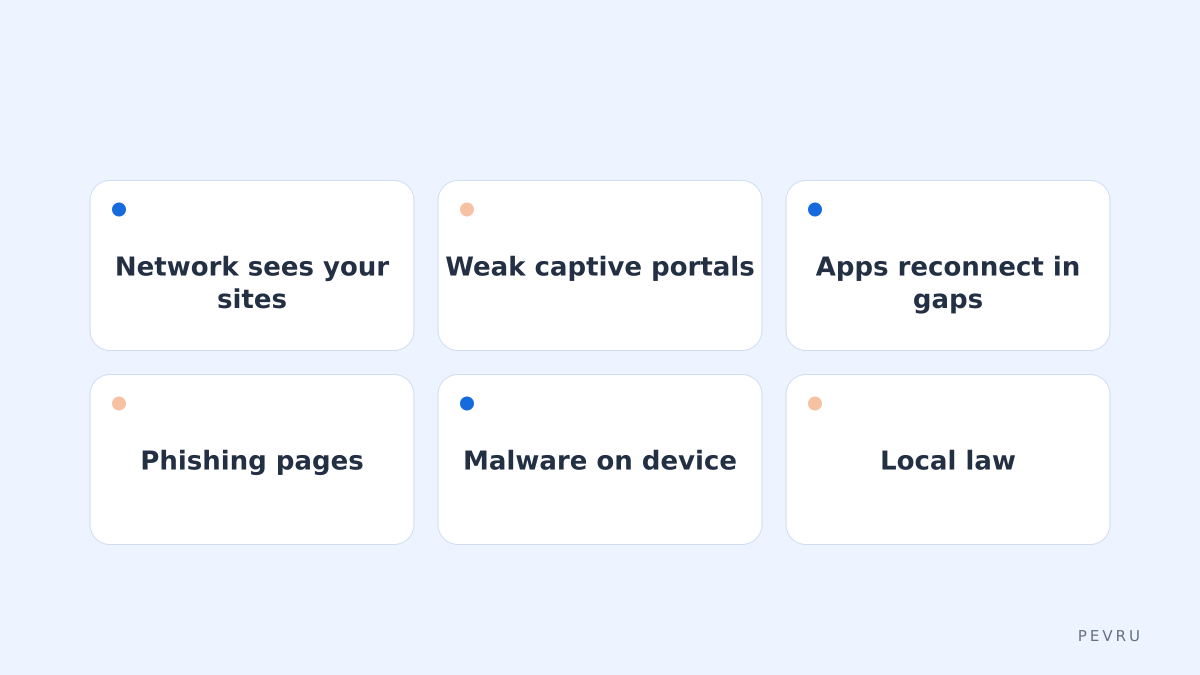
It hides which sites and services you connect to from the hotel or airport network operator, and from anyone else on that network.
It gives you a consistent exit point, so services that dislike logins from a new country every three days see a familiar location.
It blocks the leak when a connection drops and apps reconnect before the tunnel is back, if you turn on the kill switch.
It can carry your traffic through networks that throttle or block certain protocols, if the provider offers an obfuscated protocol.
What it does not do: protect you from phishing pages, malware you install yourself, a compromised device, or a captive portal that asks for your email. And in some countries VPN use is restricted or requires approved providers; check the law of your destination before you fly rather than assuming.
The short list
Three picks, chosen for different travellers. Only one is linked here; the other two are alternatives you should compare on the same checklist.
1. Proton VPN: for travellers who want a free tier that is not a trap
At the time of checking, Proton VPN's free plan has no data limit, protects one device at a time and connects to servers in a handful of countries chosen for you, with the kill switch and always-on VPN included. Paid plans cover ten devices and advertise more than 20,000 servers in over 140 countries, add NetShield (a DNS-level blocker for ads, trackers and malware) and Secure Core routing through hardened servers. The company publishes a no-logs audit. Its protocol list includes WireGuard, OpenVPN, IKEv2 and its own Stealth protocol designed to hide the VPN connection on restrictive networks.
Limitations: the free plan's country choice is random, so it is not for picking an exit location; the advanced kill switch is only on Windows, the Linux desktop app and iOS in beta; and NetShield is paid only. Proton VPN's plans and apps are worth a look if you want to test the free tier on a real trip before paying.
2. Mullvad: for travellers who want the fewest moving parts
A deliberately minimal, privacy-first service with a small feature set. The trade-off is fewer extras than the largest providers; check its country list and app features on its site. Good if your only goal is a clean tunnel on hotel Wi-Fi.
3. NordVPN: for travellers who prioritise device count and app polish
A large provider with broad platform support and many app conveniences. As with most large VPN brands, the introductory price and the renewal price can differ, so read the renewal terms before buying.
Compare all three on the same checklist, and confirm availability and payment options for your country on each provider's site.
The five settings to change before you fly
Do these at home, on Wi-Fi you trust, and test each one by disconnecting and reconnecting.
Setting | What to choose | Why it matters on the road |
|---|---|---|
Kill switch | On; use the advanced or permanent mode if your platform offers it | Blocks all traffic when the tunnel drops so apps do not reconnect unprotected |
Always-on or auto-connect | On for untrusted networks; allow your home network if the app supports exceptions | You will forget to press connect after a captive portal |
Protocol | Leave on automatic; know how to switch to the obfuscated or TCP option | Some hotel networks block UDP; obfuscation gets through restrictive ones |
DNS and blockers | Use the provider's DNS; enable the ad and malware blocker if included | Stops DNS leaks and cuts tracking on ad-heavy hotel portals |
Device list | Install and sign in on every device before departure | Login emails and verification codes are painful without roaming data |

The captive portal problem
Airport and hotel Wi-Fi usually starts with a login page. With a strict kill switch on, that page cannot load, because nothing is allowed out until the tunnel is up. Every provider handles this differently: some pause the kill switch briefly, some let you allow local network traffic, some expect you to disable it for a minute. Learn your app's way of doing it now. The test at home: enable the kill switch, turn the VPN off, and see what happens when you open a browser. If everything is blocked, you know the sequence you will need at the gate.
Battery and data
A VPN costs battery on a phone, more with an always-on setting. WireGuard-based protocols are generally lighter than OpenVPN. If you are on a metered roaming plan, remember that the VPN itself does not reduce data use, and blockers only trim it slightly.
What to do if the network fights back
Switch from the automatic protocol to the obfuscated one (Stealth on Proton VPN, or the equivalent elsewhere).
If that fails, try a TCP-based protocol on a common port; some networks only allow web-style traffic.
Change server; some hotel networks block known VPN ranges rather than the protocol.
If nothing connects, stop and use mobile data for anything sensitive rather than dropping the tunnel on the hotel network.
Conclusion
The best VPN for travel is the one whose kill switch, auto-connect and fallback protocol you have already tested at home, not the one at the top of a scorecard. Start with the honest threat model: HTTPS protects your logins, the VPN protects your browsing from the network and covers the gaps when connections drop. If you want a free tier that behaves like the paid product, Proton VPN is a reasonable first install; Mullvad and NordVPN are the alternatives to compare on the same five settings. Whatever you pick, do the captive portal test before you leave, and check the rules of the country you are landing in.